Pictory AI 2.0 Complete Review & Tutorial 2026 — Turn Blogs Into Videos FREE
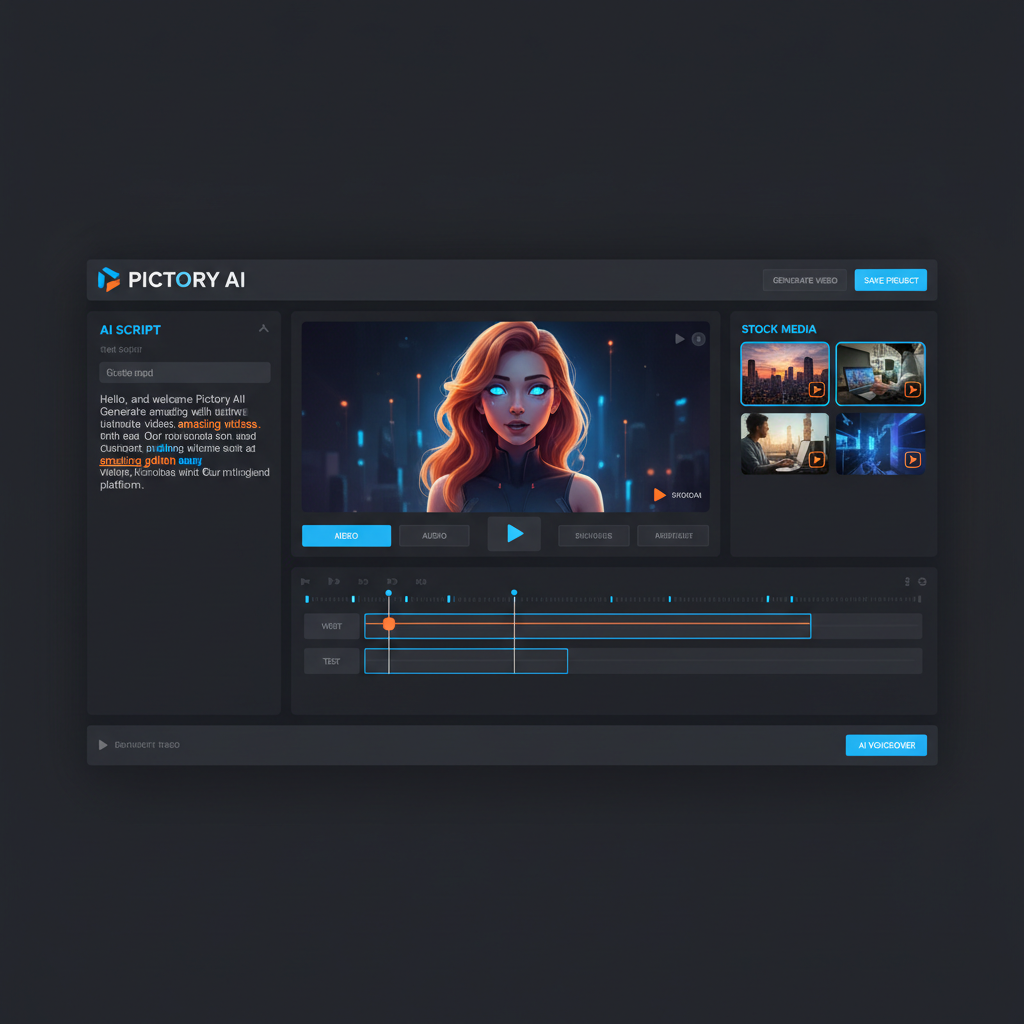
Pictory AI 2.0 complete review and tutorial 2026. Learn how to turn blog posts, scripts and articles into professional videos for FREE. Step-by-step guide with features, pricing, and expert tips.
Pictory AI 2.0 Complete Review & Tutorial 2026 — Turn Blogs Into Videos FREE
Are you looking for an AI tool that automatically turns your blog posts into professional videos — without a camera or editing software? Pictory AI 2.0 is the most powerful AI video creation tool of 2026. Simply type your text — and a professional video is ready in minutes.
📋 Related Guides
- 📖 7 Free AI Tools to Make Money Online in 2026 — Pictory AI is #3 on this list!
- 📖 How to Make $3,000/Month with ChatGPT in 2026
- 📖 How to Make Money with Midjourney AI in 2026
- 📖 Canva AI Complete Tutorial 2026
What Is Pictory AI? — Overview 2026
Pictory AI is an online AI-powered video creation platform trusted by over 20,000+ companies worldwide. Whatever content you have — a blog post, script, Zoom recording, or article — Pictory AI automatically transforms it into a professional video. No camera. No editing software. No studio.
🚀 Pictory AI 2.0 — New Features March 2026
| Feature | What It Does |
|---|---|
| 🤖 AI Avatars | Digital presenter with lip-sync — no camera needed |
| 🎨 AI Studio | Generate custom visuals on demand |
| 🎙️ Voice Cloning | Record your voice once — cloned for all videos |
| 🎨 Brand Kit | Auto-brand every video with your logo & colors |
| ⚡ Fast Export | Professional video ready in 2–5 minutes |
📋 Step-by-Step Tutorial — How to Use Pictory AI FREE
Step 1: Create Your Free Account
Visit pictory.ai → Click "Start for Free" → 14-day free trial, no credit card required.
Step 2: Select "Script to Video"
Paste your blog post or script in the text box.
💡 Pro Tip: Write your script with ChatGPT first for 3x better results!
Step 3: Choose Style & Add AI Avatar
Select background music, voice language, template. Click "Add Avatar" — choose from 50+ digital presenters.
Step 4: Edit & Export
Adjust scenes, captions, transitions → Click Export → Download MP4 in 2–5 minutes!
💰 Pictory AI Pricing Plans 2026
| Plan | Price | Video Minutes | Best For |
|---|---|---|---|
| Free Trial | $0 | Limited | Beginners |
| Starter | $23/mo | 200 min | Solo Creators |
| Professional | $47/mo | 600 min | YouTubers |
| Teams | $119/mo | 1,800 min | Agencies |
⚖️ Pictory AI vs InVideo AI 2026
| Feature | Pictory AI | InVideo AI |
|---|---|---|
| Blog to Video | ✅ Best in class | ❌ Limited |
| AI Avatars | ✅ Yes | ✅ Yes |
| Voice Cloning | ✅ Yes | ❌ No |
| Starting Price | $23/mo | $20/mo |
🏆 Verdict: For blog-to-video conversion — Pictory AI is the clear winner.
💵 How to Make Money with Pictory AI 2026
Method 1: Faceless YouTube Channel ($500–$5,000/month)
Write scripts with ChatGPT → Convert to videos with Pictory AI → Upload to YouTube → Monetize!
Method 2: Video Services on Fiverr ($300–$2,000/month)
Offer explainer & promo videos on Fiverr. Charge $50–$300 per video. Deliver each in under 30 minutes with Pictory AI.
Method 3: Blog to Video Repurposing Service ($500–$3,000/month)
Help bloggers convert articles into videos. Charge $30–$100 per video. Combine with Canva AI for thumbnails!
❓ FAQ — Pictory AI 2026
Is Pictory AI free?
Yes! 14-day free trial, no credit card needed. Plans from $23/month after trial.
Can I use Pictory AI in Pakistan?
Absolutely! Works 100% in Pakistan on all devices with no restrictions.
How long does it take to make a video?
Just 2–5 minutes per video including AI voiceover, captions, music, and transitions.
How much can I earn with Pictory AI?
Beginners earn $200–$500 in the first month. With consistent effort, $1,000–$5,000/month in 3–6 months is realistic via Fiverr and faceless YouTube.
🎯 Final Verdict
Pictory AI 2.0 is the best blog-to-video AI tool in 2026. Whether you want a faceless YouTube channel, Fiverr video services, or content repurposing — Pictory AI delivers results fast and free.
Your 30-Day Action Plan:
- ✅ Day 1–3: Sign up free at pictory.ai
- ✅ Day 4–7: Create 5 sample videos with ChatGPT scripts
- ✅ Day 8–14: Open a Fiverr gig for video creation
- ✅ Day 15–30: Get reviews, raise prices, start YouTube channel
- ✅ Month 2–3: Scale to $1,000–$5,000/month!
📖 More Guides on MoneyHub AI
- 📖 7 Free AI Tools to Make Money Online in 2026
- 📖 How to Make $3,000/Month with ChatGPT in 2026
- 📖 How to Make Money with Midjourney AI in 2026
- 📖 Canva AI Complete Tutorial 2026
📖 Follow MoneyHub AI Blog for weekly AI earning guides!
Comments (0)
No comments yet. Be the first!