CapCut AI Complete Review & Tutorial 2026 — Free Video Editing for Every Creator
CapCut AI complete review and tutorial 2026. Learn how to use CapCut AI features — auto captions, AI avatars, text to video, background removal — step by step. Includes pros, cons, pricing, and expert tips for TikTok, Reels & YouTube Shorts.
CapCut AI Complete Review & Tutorial 2026 — Free Video Editing for Every Creator
You have probably seen CapCut everywhere — powering viral TikTok edits, Instagram Reels, and YouTube Shorts. But the real question is: what exactly does CapCut AI offer in 2026, and is it the right tool for you?
📋 What You Will Learn:
- ✅ What CapCut AI is and how it works in 2026
- ✅ All 7 major AI features — tested and rated
- ✅ CapCut AI se video kaise banaye — step-by-step
- ✅ CapCut AI auto edit kaise use kare
- ✅ CapCut AI reels editing step by step
- ✅ CapCut AI tools for beginners
- ✅ CapCut AI se viral video kaise banaye
📌 Related Guides
- 📖 7 Free AI Tools to Make Money Online in 2026 — CapCut AI is #4!
- 📖 Pictory AI 2.0 Complete Review & Tutorial 2026
- 📖 How to Make $3,000/Month with ChatGPT in 2026
- 📖 Canva AI Complete Tutorial 2026
📌 What Is CapCut AI?
CapCut is a free AI-powered video editing platform by ByteDance — the company behind TikTok. Available on Windows, macOS, iOS, Android, and Web.
"CapCut has quietly evolved into one of the most widely used AI video platforms in the world — combining polished templates, automation, and powerful AI features."
Key Facts About CapCut AI 2026
| Detail | Info |
|---|---|
| Developer | ByteDance (TikTok parent company) |
| Price | Free (Pro plan available) |
| Platforms | Windows, macOS, iOS, Android, Web |
| Watermark | ❌ No watermark on desktop (free) |
| Best For | Social media, TikTok, Reels, Shorts |
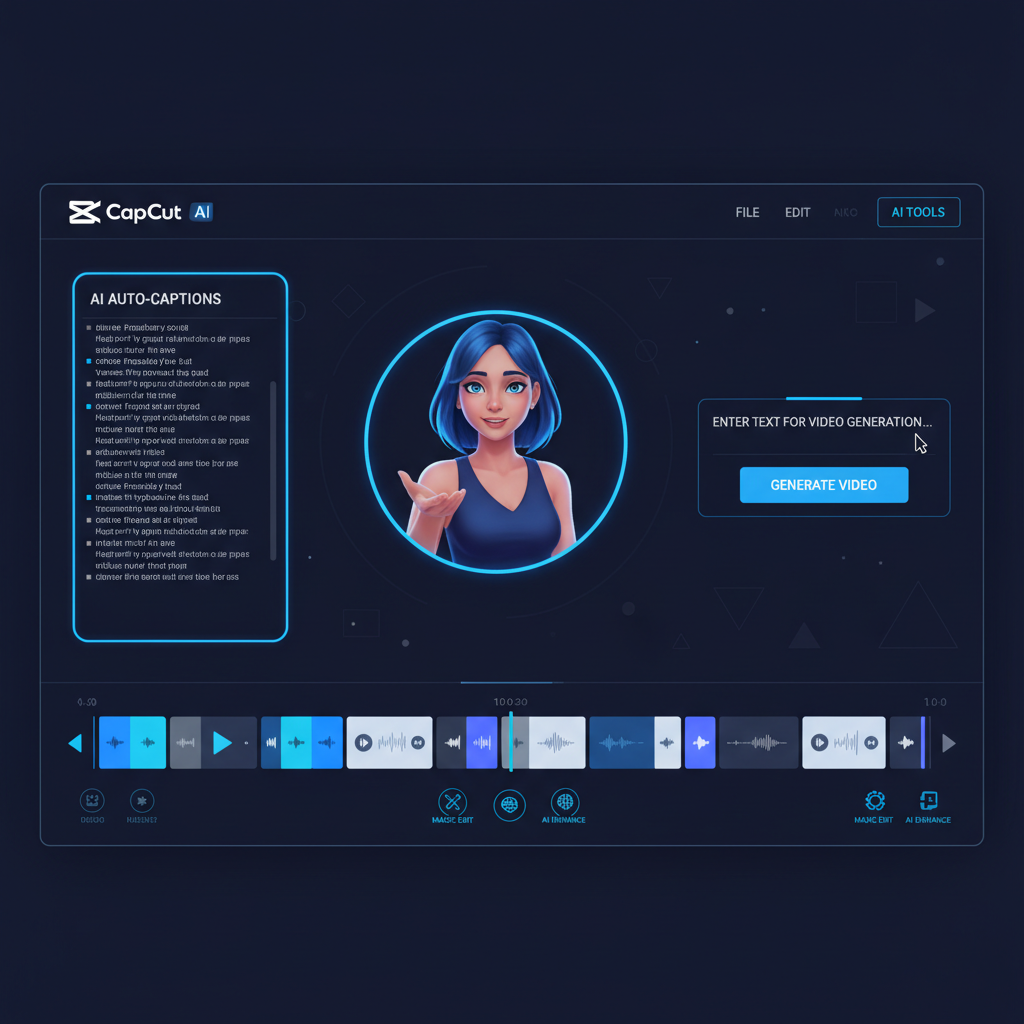
🛠️ 7 Key CapCut AI Features — Tested & Rated
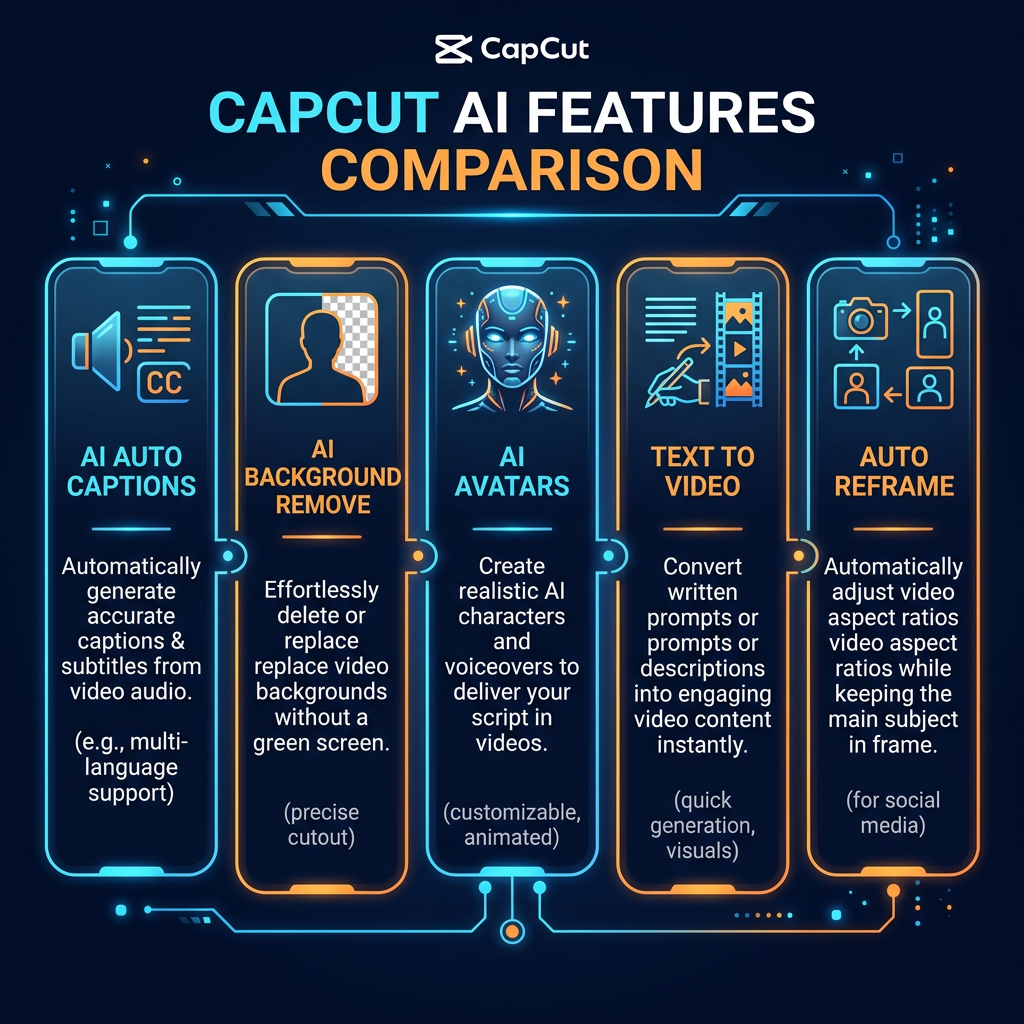
Feature 1: AI Auto-Captions — Rating: 9/10
Transcribes video audio and generates styled captions in under 30 seconds. Accuracy: 92–95% for clear audio. Best feature for viral social media videos!
Feature 2: AI Background Removal — Rating: 7.5/10
Removes video backgrounds without a green screen. Works well on solid backgrounds; some edge issues on complex scenes.
Feature 3: AI Avatars — Rating: 8/10
Add a digital on-screen presenter that reads your script. Great for explainers and product videos — no camera required!
Feature 4: Text to Video — Rating: 8.5/10
Type a prompt — CapCut AI generates a complete video with visuals, music, and captions automatically. This is CapCut AI auto edit ka asli jaadu!
Feature 5: Auto Reframe for AI Reels/Shorts — Rating: 8.5/10
Intelligently crops landscape (16:9) videos into vertical (9:16) for TikTok and Reels — perfect for AI Reels/Shorts editing!
Feature 6: AI Music & Voice — Rating: 8/10
Royalty-free background music library and AI text-to-speech voices in multiple languages and styles.
Feature 7: Auto Video Generation & Trending Templates — Rating: 9/10
Massive library of TikTok-synchronized templates updated weekly — Auto Video Gen/Edit at its finest for beginners!
💡 Pro Tip — Auto-Captions Batch Edit
After generating captions, use batch-edit mode to fix transcription errors across all blocks at once — saves hours of work!
CapCut AI Se Video Kaise Banaye — Step-by-Step Tutorial 2026
CapCut AI Download or Open Karna
Visit capcut.com or download the desktop app. Sign up for a free account using email or Google.
New Project Create Karna
Click "New Project". Import your video clips or choose "AI Video Generator" to create from a script.
CapCut AI Auto Edit — AI Video Generator Use Karna
Type your script in the text box. Choose a style — cinematic, promotional, or social-first. CapCut AI automatically selects visuals, adds music, and assembles a full video in minutes!
AI Auto-Captions Add Karna
Click "Captions" → "Auto Captions" → Choose language → Generate. Styled subtitles ready in 30 seconds!
AI Avatar Add Karna (Optional)
Go to "AI Avatars", choose a digital presenter, paste your script — avatar delivers it with natural lip-sync. No camera needed!
Background Remove Karna
Select clip → Click "Background Removal" → Replace with any image or color instantly.
CapCut AI Reels Editing — Auto Reframe Use Karna
Click "Auto Reframe" → Select 9:16 for TikTok/Reels or 1:1 for Instagram feed. CapCut automatically keeps the main subject in focus. Yahi feature CapCut AI reels editing step by step ko super easy banata hai!
Export — CapCut AI Se Viral Video Kaise Banaye
Click "Export" → Choose 4K resolution → Select platform preset → Download. No watermark on desktop free plan. Upload to TikTok, Reels, or YouTube Shorts!
💰 CapCut AI Pricing Plans 2026
| Plan | Price | Best For |
|---|---|---|
| Free | $0/month | Beginners & casual creators |
| Pro | ~$7.99/month | Active content creators |
| Teams | Custom | Agencies & marketing teams |
✅ Pros & ❌ Cons of CapCut AI
✅ Pros
- ✔️ Free with no watermark on desktop
- ✔️ Very easy — no experience needed
- ✔️ AI Captions in 30 seconds
- ✔️ AI Avatars — no camera needed
- ✔️ Text to Video automation
- ✔️ 4K export for FREE
- ✔️ Works on all devices
❌ Cons
- ✖️ Needs internet for AI features
- ✖️ Premium avatars need Pro plan
- ✖️ Limited color grading tools
- ✖️ Not ideal for long cinematic films
⚖️ CapCut AI vs. Alternatives — Full Comparison
| Feature | CapCut AI | Pictory AI | InVideo AI |
|---|---|---|---|
| Ease of Use | ⭐⭐⭐⭐⭐ | ⭐⭐⭐⭐⭐ | ⭐⭐⭐⭐ |
| Free Plan | ✅ Generous | ✅ 14-day trial | ✅ Limited |
| No Watermark (Free) | ✅ Desktop | ❌ | ❌ |
| Mobile App | ✅ Excellent | ❌ No | ✅ Yes |
| Best For | TikTok / Reels | Blog to Video | Creative control |
Verdict: For TikTok and Reels — CapCut AI wins. For blog-to-video — read: Pictory AI 2.0 Complete Review & Tutorial 2026 →
🔥 Expert Tips — CapCut AI Se Viral Video Kaise Banaye
💡 Always Enable Captions
85% of people watch social media videos without sound. Captions increase watch time, reach, and engagement on every platform.
🎯 Use Auto Reframe for Batch Conversion
Convert an entire library of landscape videos to vertical in one session. 23 clips processed in under 10 minutes!
📝 Write Clear, Simple Prompts for Text to Video
Instead of "make a cool video," write "60-second promotional video for a digital marketing agency in Pakistan."
🎬 Use Trending Templates for Faster Virality
CapCut's templates are synchronized with what is actually performing on TikTok and Instagram right now.
❓ FAQ — CapCut AI 2026
Is CapCut AI completely free?
Yes — AI auto-captions, background removal, Auto Reframe, and 4K export are all FREE on desktop with no watermark.
Can I use CapCut AI for YouTube monetization?
Yes. CapCut's royalty-free music is licensed for commercial use — fully eligible for YouTube monetization.
CapCut vs Pictory AI — which to choose?
Choose CapCut AI for TikTok, Reels, and Shorts. Choose Pictory AI for turning blog posts into videos.
🏁 Final Verdict — Is CapCut AI Worth It in 2026?
Yes — without question. CapCut AI is the single best free video editing tool for social media creators in 2026. Zero cost, no watermark, powerful AI features, and beginner-friendly interface make it unbeatable for TikTok, Reels, and YouTube Shorts.
📖 More Related Guides
Comments (0)
No comments yet. Be the first!